


First, the disclosure that shapes how you read this: 45Drives provided this Pro15 for me to evaluate and keep. I did not buy it. That does not buy a favorable write-up. Every number here is measured, the criticisms are real, and where Dell and HPE still win I say so.
Most of the storage I have bought across a 25 year career came from two or three of the usual vendors, and most of it worked. It also came with caddies I could not source anywhere else, firmware that refused drives it did not recognize, and a software layer I paid for every year whether I used it or not. The Pro15 is a different animal: a box you open with a screwdriver, fill with drives you bought yourself, and run with software you already know. It belongs on the shortlist for any homelab builder, business, or MSP weighing an alternative to Dell and HPE.
This is not a review written off a spec sheet. I set it up, ran it, broke a part of it, worked the failure through with the vendor, and benchmarked the result. What follows is the case I would make to a colleague.
An Open Alternative to Dell and HPE
Like a surprising number of good engineering companies, the lineage of 45Drives begins not with a business plan but with a conversation between friends. The origins trace to an informal chat among engineers in a cramped dressing room at a chilly ice arena, after a mid-winter beer-league hockey game in Sydney, Nova Scotia. Two of those engineers — Steve Lilley and Dr. Doug Milburn — shared a frustration over how hard it was to find metal shops willing to manufacture low-quantity runs of custom rackmount enclosures. Small production runs simply weren't a priority for most fabrication shops, and few had the capacity for finishing work like painting or powdercoating. Believing that delay is the enemy of progress, the pair decided to build the company they wished existed: one that could turn out fully finished custom enclosures in two or three days with no minimum order. They founded Protocase in 2001.
That parent company matters, because 45Drives is, to this day, a subsidiary of the Protocase Companies — a manufacturer of custom electronic enclosures, precision parts, and computing infrastructure headquartered in Sydney, Nova Scotia and a newly opened 45Drives facility in North Carolina. The storage business grew directly out of the metal-bending one, and that heritage explains a great deal about how 45Drives builds: it is, at its core, a precision manufacturer that happened to fall in love with storage.
The first thing worth saying upfront is that the Pro15 is built out of parts you can already buy. The motherboard is a standard server board. The CPU is a standard socket. The RAM is off the shelf ECC DDR5. The drives are ordinary 3.5 inch SATA and SAS units, and they slide into trays that hold a bare drive with four screws. There are no proprietary caddies to source at a markup, no firmware handshake that decides your drive is not on the approved list, and no rivets where a screw would do. When you need to service the machine, you open it and work on it like a PC, because underneath the branding that is what it is.
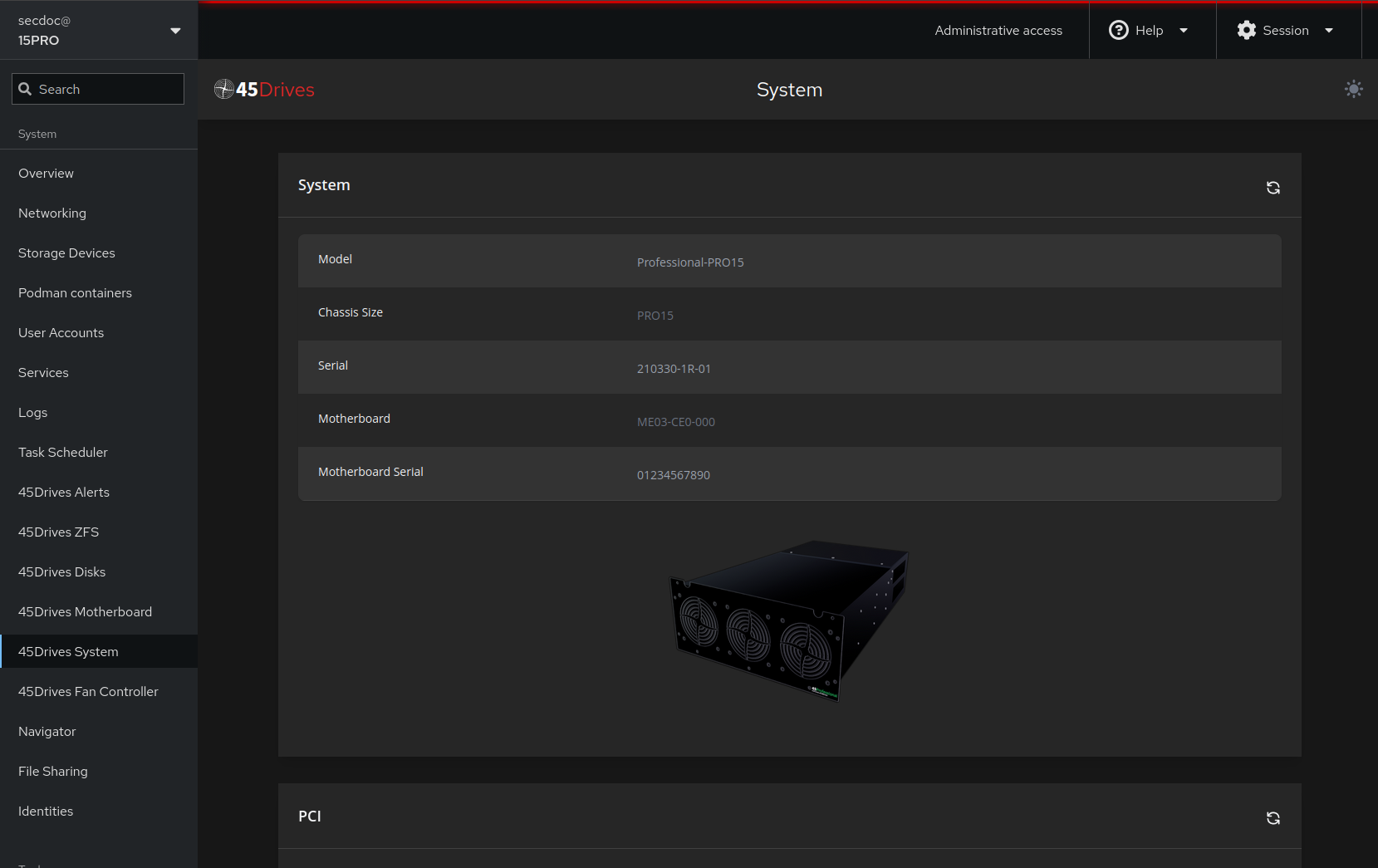
| What It Is | A 4U, 15-bay, top-loading storage server in the 45Professional line, built on a Gigabyte ME03-CE0 board with a single-socket AMD EPYC (Siena/SP6) processor, DDR5 ECC memory, and a 45Drives direct-wired backplane. |
|---|---|
| Why It Is Used | To provide dense, quiet, affordable, enterprise-grade storage for offices, studios, edge sites, security labs, and serious homelabs — without proprietary drive caddies, firmware locks, or recurring management-software licensing. |
| What It Provides | Up to ~480 TB raw capacity, an open OS of the operator’s choice (Rocky Linux here), ZFS/Ceph data layers, the Houston web UI, and a repairable steel chassis assembled with screws rather than rivets. |
| Specification | Pro15 Baseline |
|---|---|
| CPU (default) | AMD EPYC 8024P — 8C/16T @ 2.4 GHz (Siena, SP6) |
| Motherboard | Gigabyte ME03-CE0 |
| Memory | RDIMM up to 96 GB; 3DS RDIMM up to 256 GB (DDR5 ECC) |
| Drive bays | 15 × 3.5" top-load, direct-wired backplane |
| Max capacity | Up to ~480 TB raw (32 TB drives) |
| Power supply | 750 W modular ATX |
| Dimensions | 20.00"L × 17.125"W × 7.00"H (4U) |
| Weight | ~40 lbs empty / ~70 lbs fully populated |
Table 15Manufacturer Specifications (Pro15 baseline)
That openness runs all the way up the stack. You can bring your own operating system, but the honest answer is using 45Drives the Houston UI running on Rocky Linux. You are not handed a locked appliance image with a support contract stapled to it. The storage layer is ZFS and, if you scale out, Ceph, both of which are open, both of which you can run and learn anywhere, and neither of which bills you a license fee for the privilege of using your own disks. That single fact reframes the whole purchase. You are buying a well built chassis and a board, not renting a storage platform.
I want to be honest about where the big vendors still win, because pretending otherwise would not help you make a real decision. Dell and HPE have a global service footprint that 45Drives does not match. If you need four hour on site parts replacement in forty countries, that is a solved problem for them and not for a smaller manufacturer. At the largest scale, single vendor procurement also has a gravity of its own: one purchase order, one support relationship, one line in the audit. For a large enterprise with those constraints, the incumbents are often the rational choice, and I am not going to argue you out of it.
Where 45Drives wins is everywhere the incumbents charge you for the closed parts of their model. Openness, first: commodity internals mean you are never hostage to a discontinued caddy or a firmware lock. Density per dollar, second: a lot of raw capacity for the money, with no per drive tax from a vendor controlling the trays and the qualified drive list. No recurring software licensing, third: the storage software is open, so your cost curve is the hardware and your time, not an annual renewal. Repairability, fourth: standard parts and standard fasteners mean you can keep the machine alive yourself for years. And support that behaves like a partnership rather than a queue, which is the difference you feel during an incident.
Here is what actually happened. Partway through the build I hit a hardware fault that was not obvious. Instead of a ticket portal and a script, I ended up in direct contact with 45Drives engineers, more than once, working the problem together. We traded observations, they asked for the diagnostics that mattered, and narrowed it down together. When the evidence pointed at the board, they did not put me through an RMA gauntlet. They shipped a replacement system on a reasoned hypothesis, because the engineer I was working with had followed the whole diagnosis. That is the thing you cannot feel until something breaks at the wrong hour. When your storage is down, you do not want a case number. You want someone who understands the machine and can act. I got that, and it changed how I think about the cost of owning one of these.
Houston Is a Design Decision, Not a Feature List
The management interface on these machines is called Houston, and it is easy to skim past it as another web GUI. That undersells what it is actually solving. To understand Houston you have to understand the bind it was built to get out of.
The open storage tools are genuinely powerful. ZFS, Ceph, Samba, and NFS will do almost anything you need, and they have been battle tested for years. The catch is that all of that power historically lived behind the command line. That is fine for people who live there, but it walls out a small shop, a new admin, or anyone handing the system off to someone less fluent. Meanwhile, the interfaces that made storage approachable, the polished dashboards from the commercial vendors, came welded to proprietary platforms. You could have the nice GUI, but only if you bought into the lock-in it was attached to. So the choice was usually stated as power and openness with a steep learning curve, or ease of use with a cage around it.
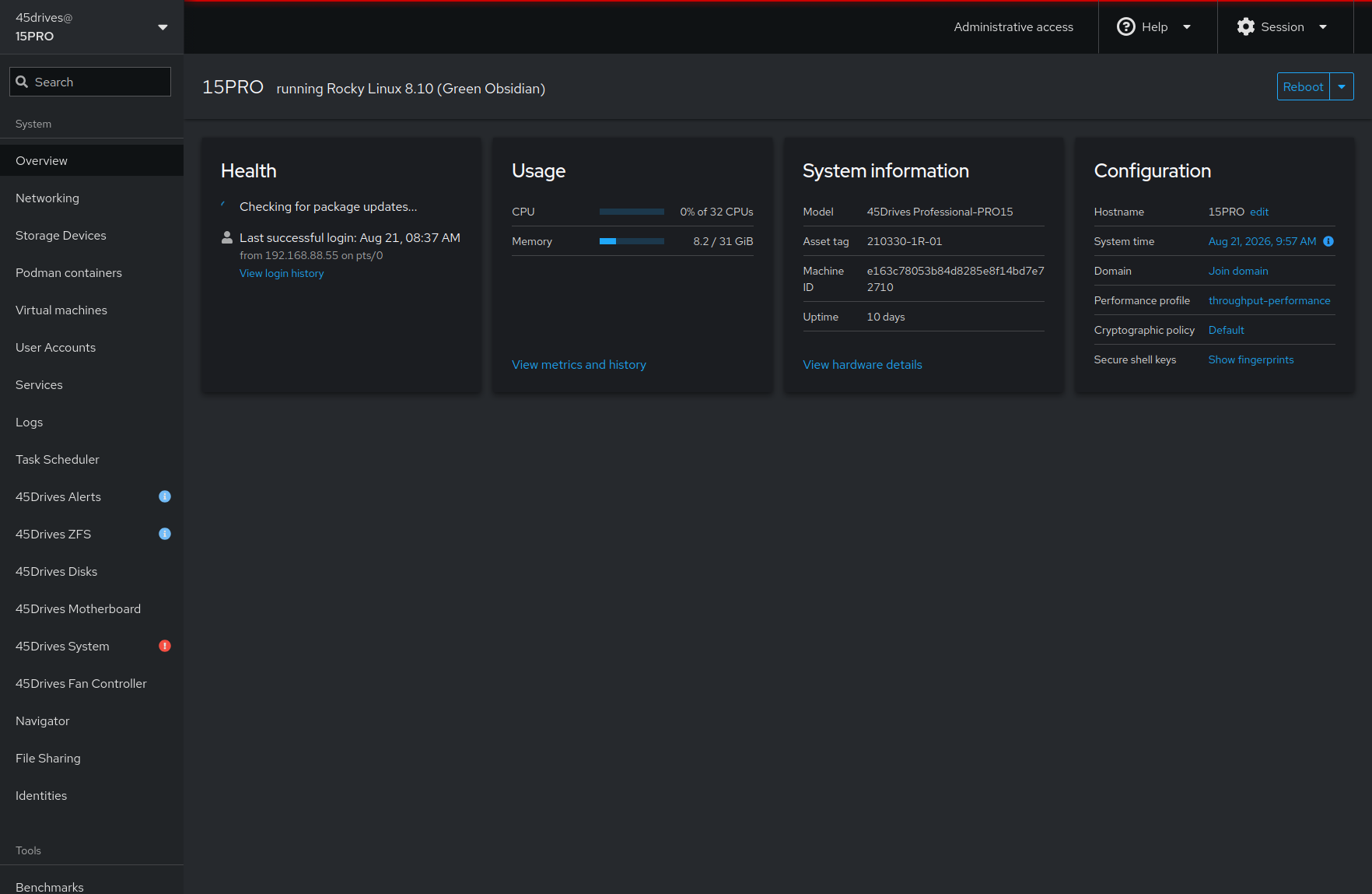
Houston's answer is to refuse that trade. It is a fork of Cockpit, the same web console many Linux admins already know, extended into a full storage and system management surface. It gets you out of the command line without taking it away from you. That last part is the whole point. Every action you take in the GUI maps to something real underneath, and the terminal is one click away from any screen you are on. You can drive the machine through the interface when that is faster, and drop to the shell when the GUI does not cover what you need. The GUI makes the storage stack legible. The CLI stays available for the parts the GUI does not reach and for the education that comes from watching what your clicks actually run.
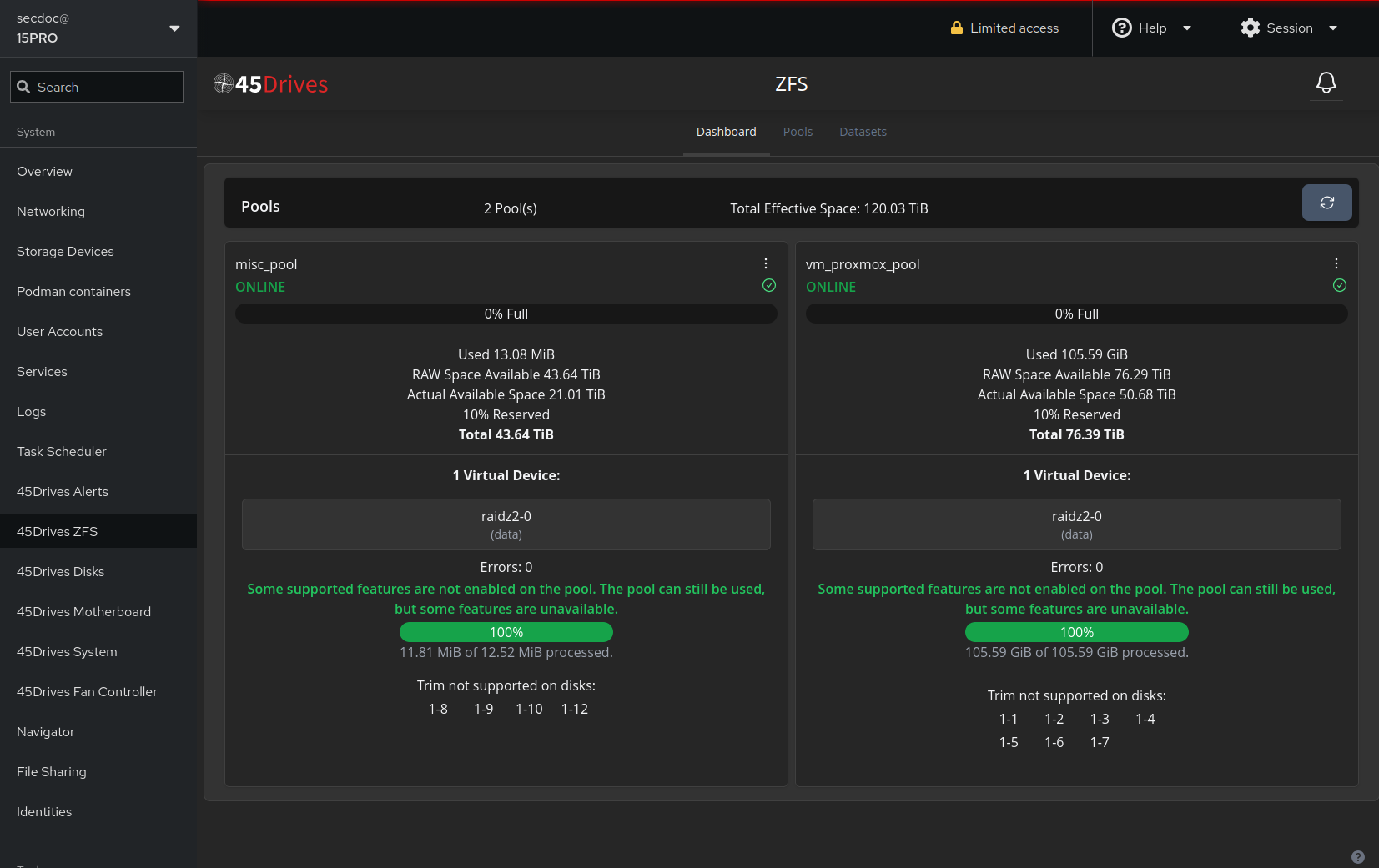
The modules that matter to a homelab or small shop reader are the ones you will touch weekly. The ZFS Manager is the one I use most: it lets you create and manage pools, datasets, snapshots, and replication tasks visually, with the pool geometry laid out in front of you instead of held in your head. For anyone learning ZFS, seeing a RAIDZ2 vdev drawn out, with its disks and its properties, does more than a page of documentation.
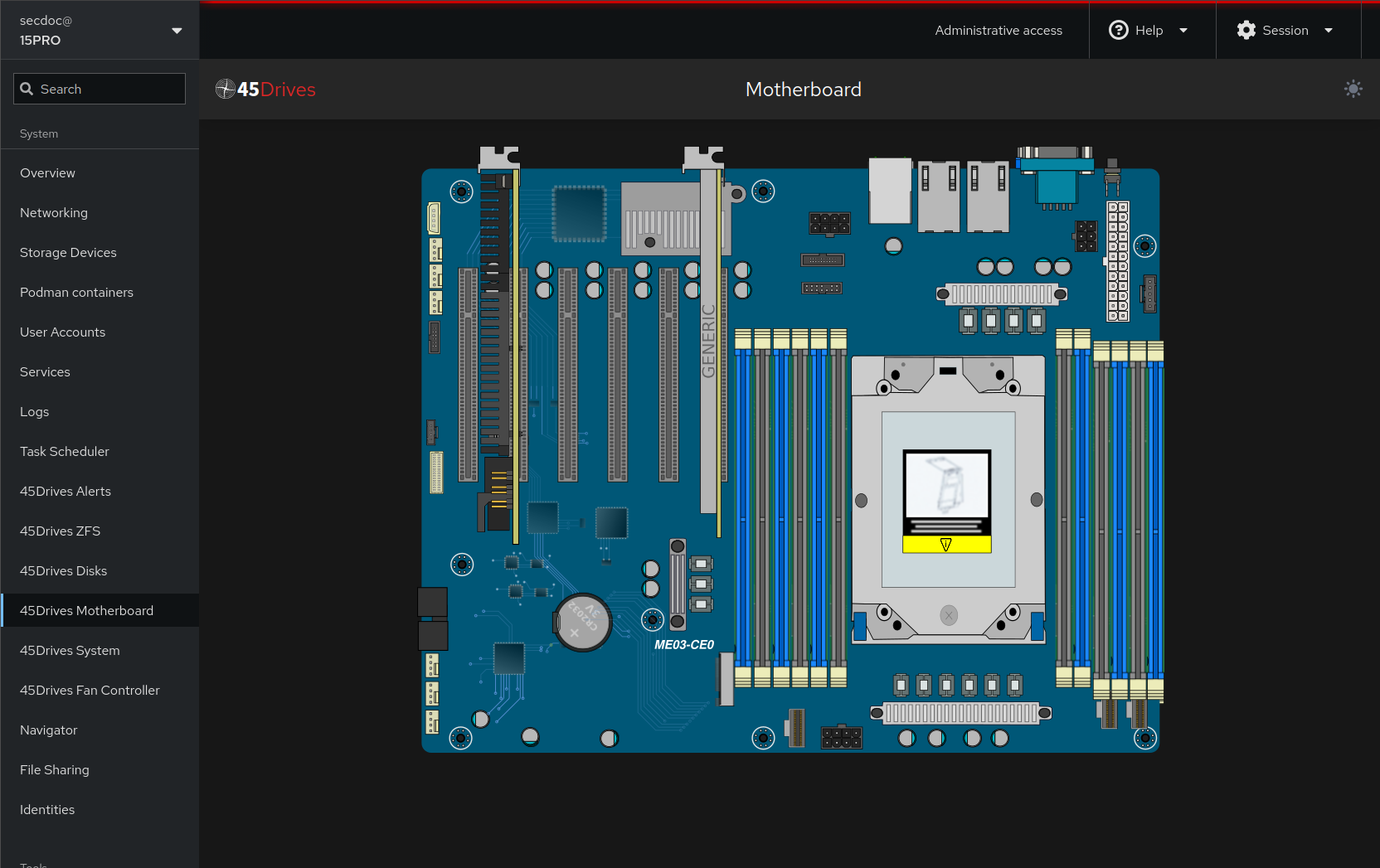
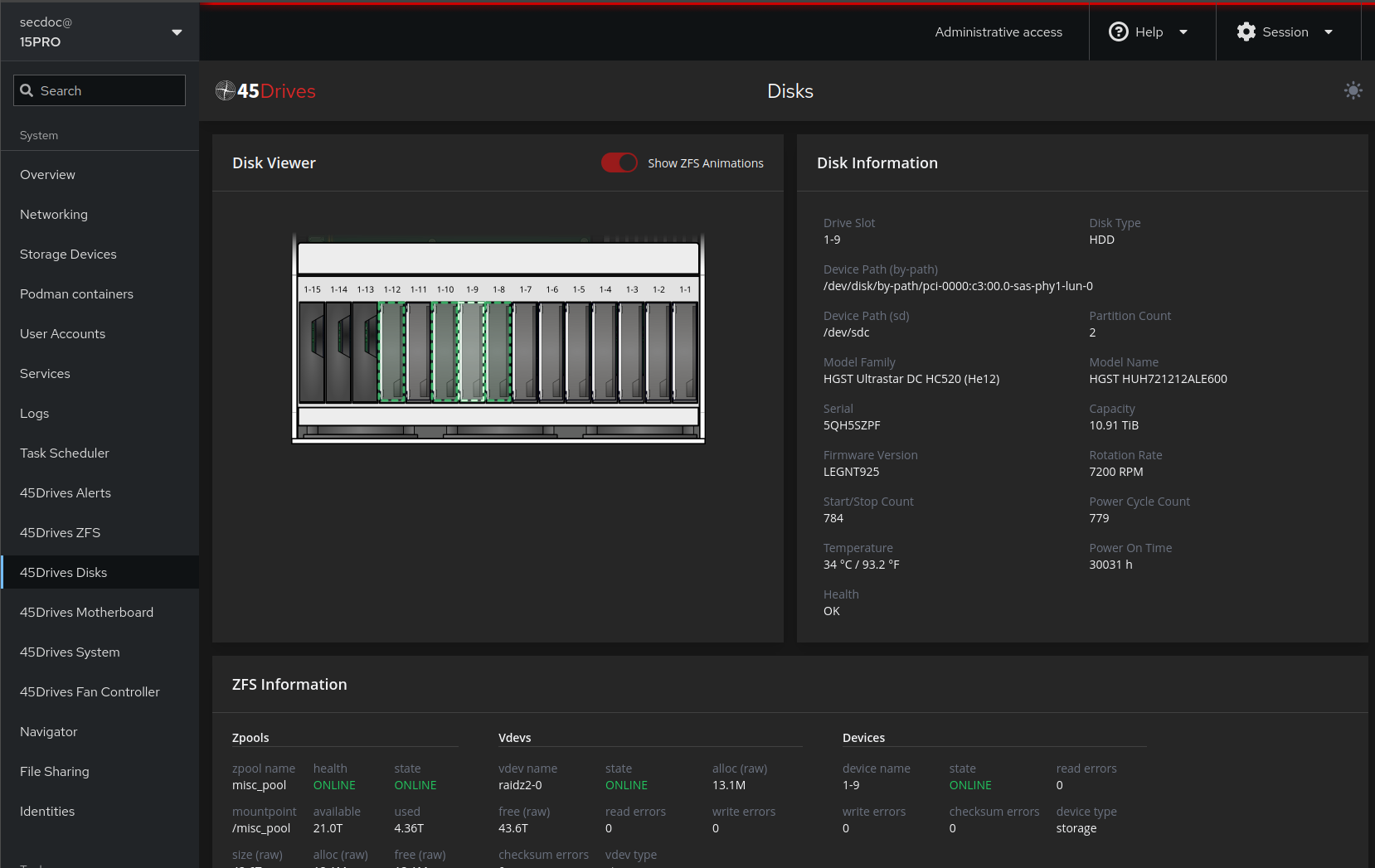
The Disks and Hardware view is the small feature that saves you at two in the morning. It draws a map of the physical bays and shows you which drive is in which slot, with health and identification tied to the actual position in the chassis. When a disk fails, you are not cross referencing serial numbers against a mental model of the backplane. You look at the picture, you see which bay is red, you pull that one. On a fifteen bay machine, that is the difference between a calm swap and pulling the wrong drive out of a degraded array.
Navigator is the file browser, a web based way to move through the filesystem and handle files without opening a shell just to run ls and cp. File Sharing is where you stand up and manage your SMB and NFS exports, set who can reach them, and wire them to the datasets you created in the ZFS Manager, so the path from raw pool to shared folder stays inside one interface. The Virtual Machines module lets the box run KVM guests directly, which matters if you want the storage node to double as a small hypervisor rather than a single purpose appliance.
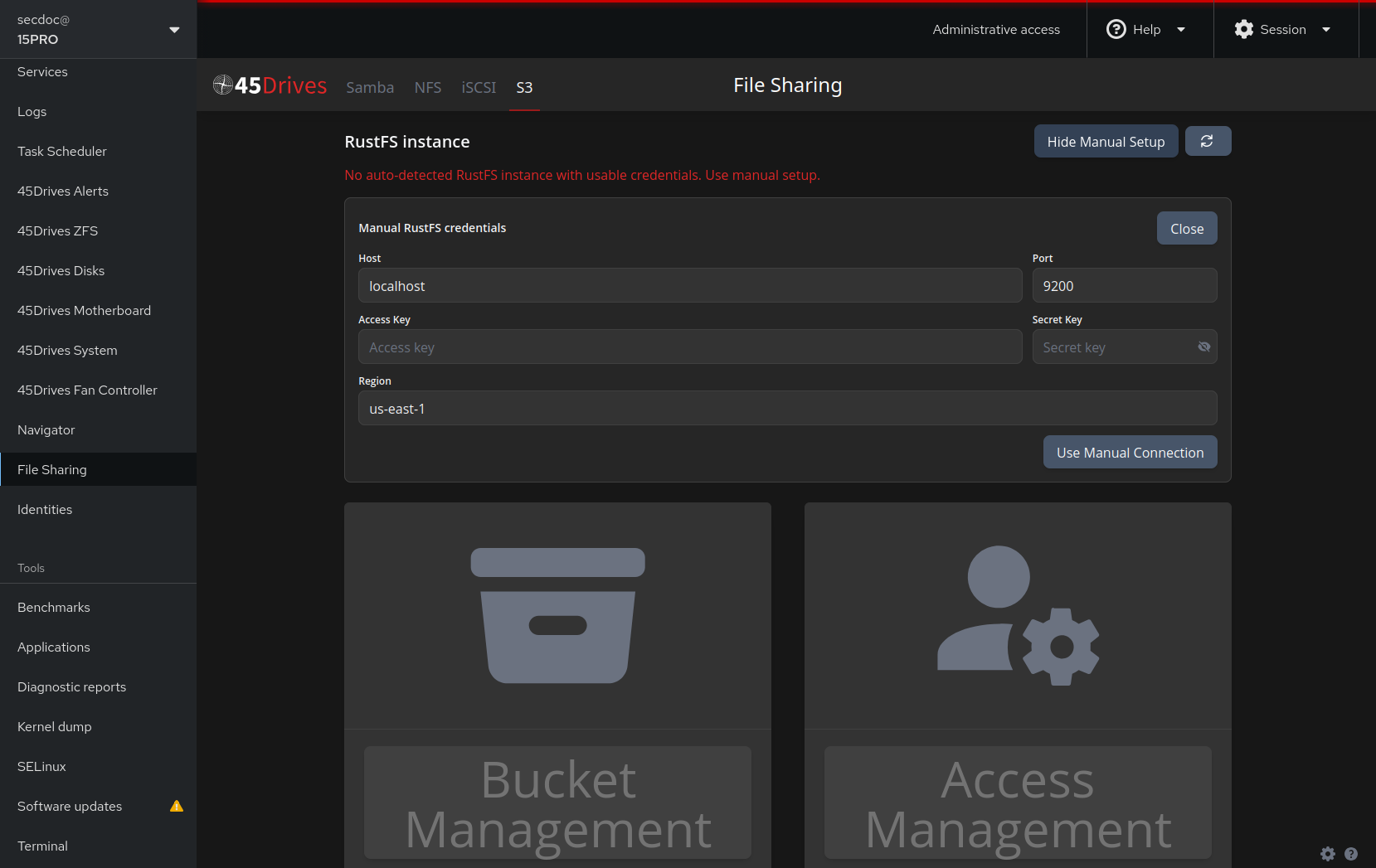
Past those, Houston also covers iSCSI block targets, S3 compatible object storage, and Ceph cluster management for when you scale beyond one box, and it supports two factor authentication on the console itself, which you should turn on. I mention those in passing rather than walking each one, because the through-line is what matters more than the checklist. The interface exists to make an open, powerful, and historically CLI bound storage stack legible to a human, without amputating the command line that made it powerful in the first place.
An Open OS, Shipped by Default
I want to be clear about one thing, because it is easy to misread. I did not install Linux here to make a point. The box shipped running Rocky Linux 8.10, the distribution 45Drives sponsors and ships, and that is the point: the open hardware comes with an open OS by default. You are never bound to the proprietary drivers, firmware-locked controllers, or licensed storage software that other vendors weld onto their machines.
That open baseline matters most because of what runs on it. ZFS is a first class citizen on Linux, and ZFS is where everything I care about on this box lives: checksummed integrity, snapshots, compression, cheap replication, and the read cache that turns RAM into throughput. On Linux it is native and current, not bolted on. Rocky 8.10 is a free, enterprise class distribution with a long support runway and a STIG friendly posture out of the box, which matters when you have to defend a build to auditors.
The open OS also keeps a clean separation between the operating system and the data. The OS lives on its own drive, the data lives in the ZFS pool, and the two do not entangle. I can reinstall or rebuild the OS without putting the pool at risk, and I can import that pool into another Linux box if the hardware under it ever dies. The data is not hostage to this machine or this install.
The part that pays off over time is portability of skill. Because Houston is Cockpit, and Cockpit runs on ordinary Linux, the fluency you build driving this machine carries to any box running the same console. You are not learning a vendor specific platform whose knowledge evaporates the day you switch hardware. You are learning Linux, ZFS, and Cockpit, which are the same everywhere. That is the opposite of the lock-in the open hardware exists to avoid.
None of this locks you into Linux either. The board is OS-agnostic, so if your problem calls for Windows Server, Proxmox, TrueNAS, or something else, you install it and go. The difference is that nothing on the machine forces the choice or taxes it: no vendor operating system, no locked drivers, no licensed storage stack bolted on that you cannot take apart. Other vendors hand you that package and call it a product. 45Drives hands you the wheel, which makes you the driver and designer of whatever you are trying to solve. The open OS it ships with is the starting point, not a cage.
Performance, With the Numbers to Back It
A builder wants numbers. First, the machine as I configured it.
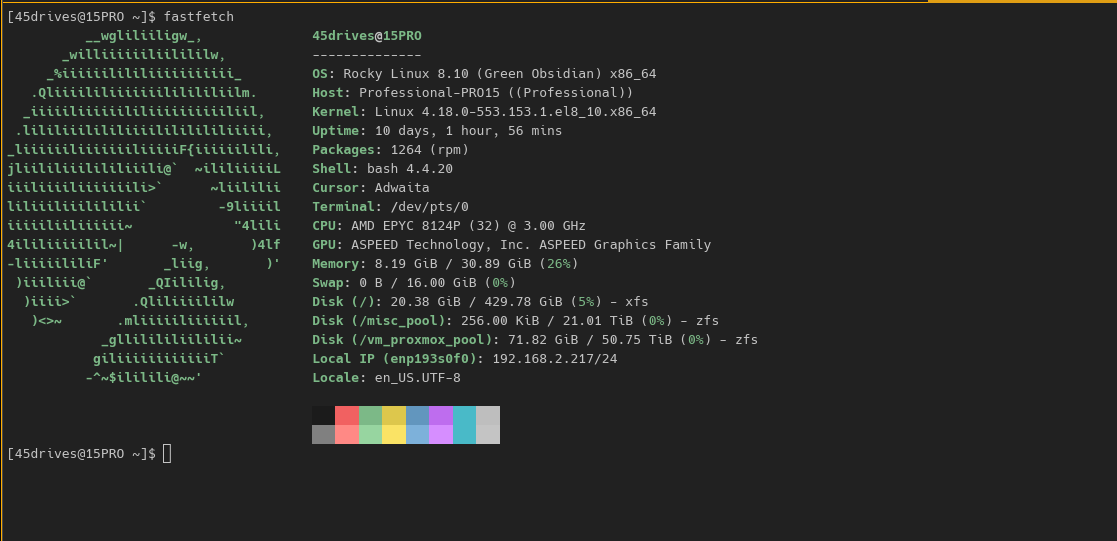
| Component | As configured |
|---|---|
| CPU | AMD EPYC 8124P (Siena, socket SP6) |
| Motherboard | Gigabyte ME03-CE0 |
| Memory | 32 GB DDR5 ECC |
| OS | Rocky Linux 8.10 |
| Data pool | 72 TB RAIDZ2, WD Ultrastar DC HC520 and WD Red Pro 12 TB, lz4 compression |
| Storage network | 25 GbE SFP28, dedicated to NFS |
| Management network | 10 GbE, IPMI separate path |
The thing to understand about performance on a machine like this is that it is a system property, not a single number. Throughput at the client is the result of four layers cooperating, and the bottleneck moves depending on what you ask for.
At the CPU layer, the EPYC 8124P is doing more than you might expect. ZFS checksums every block, lz4 compresses and decompresses on the fly, and the RAIDZ2 math runs in software. On reads served from cache, the CPU turns stored data into delivered data fast enough that it is rarely the limit here.
At the memory layer, ZFS uses free RAM as the ARC, its adaptive read cache. Anything in the ARC is served from DDR5 at memory speed, which is orders of magnitude faster than any spinning disk. With 32 GB, the working set that fits in cache reads at a completely different tier than the part that does not. It is the biggest lever on read performance, and why two benchmarks of the same pool can look like two different machines.
At the pool layer, you have a RAIDZ2 vdev of 12 TB spinning drives (WD Ultrastar DC HC520 and WD Red Pro). Sequential work streams across all of them and adds up nicely. Random work does not: seek time is a mechanical fact, and a RAIDZ2 vdev gives you roughly the random IOPS of a single drive, because a read has to touch the stripe. This is the honest floor of the machine, and it is where writes and cache-missing random reads land.
At the network layer, the 25 GbE SFP28 path exists so that the network is not the thing you hit first. A single 10 GbE link tops out around 1.1 to 1.2 GB/s, and this pool can read far past that from cache. Sizing the storage path at 25 GbE means the pool and the cache, not the wire, decide your ceiling. One wiring note worth knowing before you order: installing the SFP28 card on this board disables the onboard 10 GbE ports, so I added a separate dual 10 GbE NIC to carry the management interface. That keeps management traffic off the data path, so a backup job or a monitoring poll never competes with client I/O.
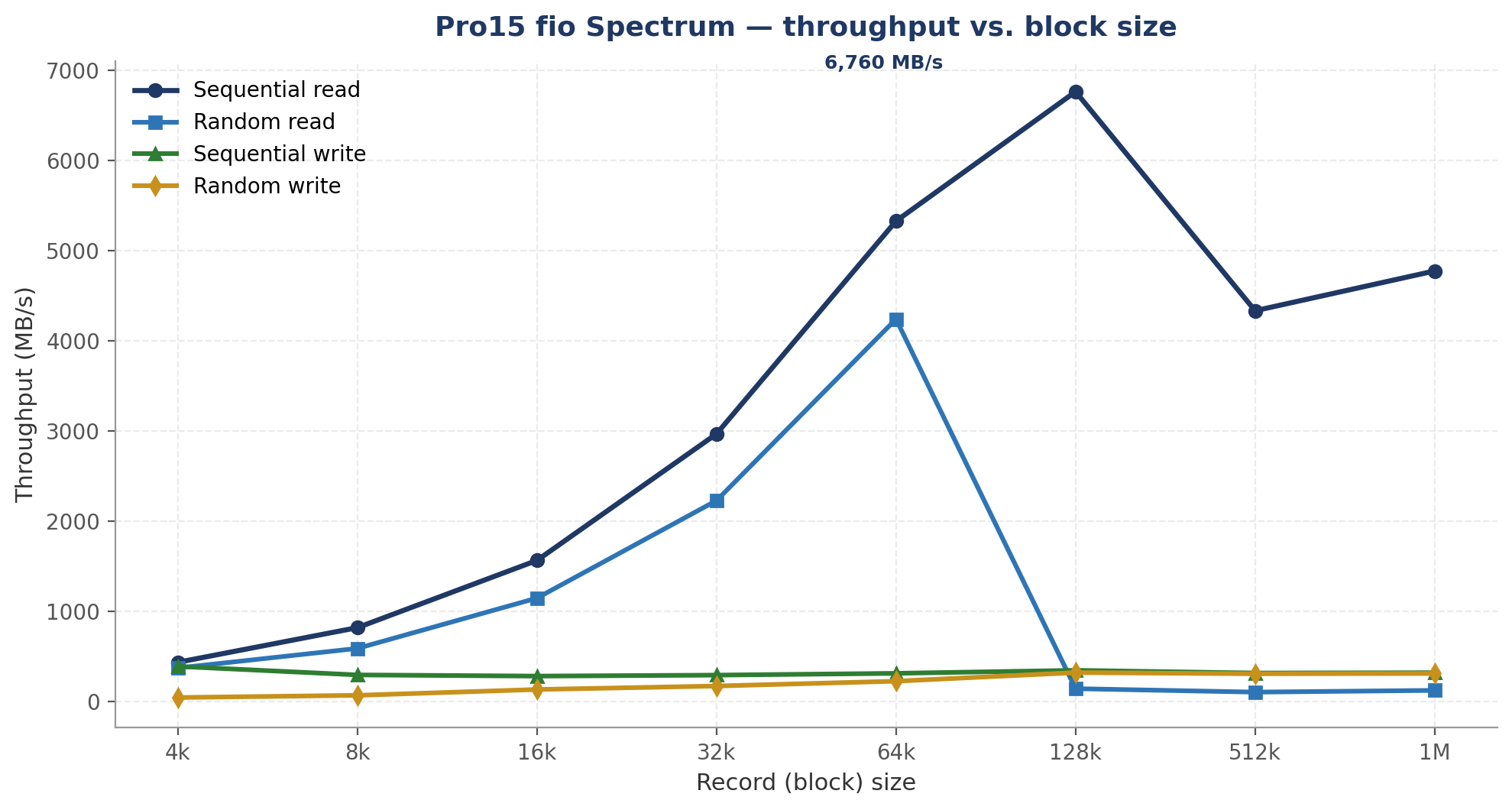
Now the measurements. These came off this unit through Houston's benchmark module, which drives fio underneath. I ran two tests: a spectrum sweep that varies the block size from 4k to 1M, and a large-block throughput run at 1M. The first table is the spectrum sweep against the pool. The second isolates what happens when the working set is already warm in the ARC.
| Block | Seq read (MB/s) | Seq write (MB/s) | Rand read (MB/s) | Rand write (MB/s) | Rand read (IOPS) |
|---|---|---|---|---|---|
| 4k | 431.59 | 385.84 | 368.25 | 40.76 | 94,270 |
| 8k | 815.90 | 291.52 | 585.39 | 65.03 | 74,928 |
| 16k | 1,561.31 | 278.36 | 1,143.41 | 129.88 | 73,176 |
| 32k | 2,964.20 | 289.14 | 2,225.11 | 168.35 | 71,202 |
| 64k | 5,325.07 | 309.04 | 4,237.63 | 222.05 | 67,800 |
| 128k | 6,759.82 | 342.49 | 138.95 | 317.22 | 1,110 |
| 512k | 4,330.42 | 312.32 | 100.65 | 304.27 | 200 |
| 1M | 4,771.42 | 316.07 | 119.88 | 307.74 | 118 |
| Test at 1M | Seq read (MB/s) | Rand read (MB/s) | Seq write (MB/s) | Read (GB/s) |
|---|---|---|---|---|
| Throughput run (warm) | 10,627.27 | 9,958.81 | 316.67 | ~10.4 |
| Spectrum at 1M (colder) | 4,771.42 | 119.88 | 316.07 | ~4.7 |
Read those tables together and the story is clear. Sequential reads climb steeply with block size, from about 432 MB/s at 4k to a peak near 6,760 MB/s at 128k, because larger requests amortize the per-operation overhead and let ZFS stream while the CPU keeps up. Past the peak they ease back into the mid 4,000s at 512k and 1M. Random reads track close behind on the way up, peaking near 4,238 MB/s at 64k while the ARC is carrying most of the load, and then they fall off a cliff at 128k, collapsing to the low hundreds of MB/s where the disks' true random ceiling lives. The IOPS column tells the same story from the other side: roughly 94,000 random read IOPS at 4k, cache served, dropping to about a hundred once the blocks are large and the requests actually reach the platters. Writes hold a flat mechanical band, sequential writes staying in the 278 to 386 MB/s range no matter the block size, because that is what the pool can commit with parity and no cache trick changes the physics of writing to disk. And the warm throughput run reads at 10,627 MB/s sequential and 9,959 MB/s random, above and near 10 GB/s, faster than any pile of platters could deliver, because at that point the ARC and the CPU are serving from DDR5 and the drives are barely involved. Set that against the same 1M read off the colder spectrum path, 4,771 MB/s, and the gap between the two is the cache effect made visible.
The punchline is worth stating flat. On this machine, reads are cache and CPU bound, writes are the pool's honest floor, and block size is the dial you turn between them: small blocks for IOPS, large blocks for streaming bandwidth. The 25 GbE path is sized on purpose so that the network is not the ceiling. When you see 6.8 GB/s at 128k and over 10 GB/s on the warm run, that is the pool, the prefetch, and the RAM talking, not the wire. If I had put this behind a single 10 GbE link, every one of those read numbers would have been a lie capped near 1.2 GB/s, and I would have been benchmarking the network instead of the machine.
Where It Fits in a Homelab or Business
Once you have a machine like this, its role is not fixed. It is a workhorse, and because it is not hindered by a proprietary operating system or locked drivers, you can point it at whatever you are trying to solve.
As a primary NAS it is the obvious fit. You export datasets over SMB and NFS, put per dataset snapshots on a schedule so a bad afternoon is a rollback rather than a restore, and set quotas so no single share can eat the pool. That alone justifies the box for a household lab or a small office.
As a backup and DR target it earns its keep in a different way. ZFS replication lets you push snapshots to this machine from your other systems, which makes it a clean landing zone for backups and an off-primary copy you can fail over to. Snapshots that the source cannot reach through the network are a real answer to ransomware, which is exactly why this class of target matters more every year.
As a surveillance or media store it holds large sequential data, camera footage or a media library, where the sequential read numbers above are what you get and capacity is cheap per terabyte.
As a virtualization edge node it can do double duty. With the Virtual Machines module and KVM, or with Proxmox installed instead, the same box that holds your data can also run a handful of guests, containers, or an AI inference workload at the edge of your environment, so you are not buying separate hardware for a couple of always-on VMs.
And as a Ceph node it grows past itself: when one box is no longer enough, machines like this federate into a Ceph cluster that Houston helps you manage, so a capacity box becomes the first brick in something that scales out.
The Vendor: 45Drives and 45Professional
As referenced earlier, 45Drives is a North American storage-server manufacturer and a division of Protocase Incorporated, operating out of Nova Scotia, Canada and North Carolina, USA. Its flagship Storinator line popularized direct-wired, top-loading storage pods; the company has since expanded into all-flash (Stornado), hybrid, virtualization (Proxinator), homelab (45HomeLab), and the quiet office-class 45Professional line.
- Compliance posture: 45Drives advertises alignment with TAA, NDAA, DISA STIG, Section 508, ISO 9001, and CMMC 2.0 Level 2 — the credentials federal, defense, municipal, and regulated buyers require, and a meaningful differentiator for security-sensitive deployments.
- Brand map: 45Drives is the parent storage brand and the enterprise/data-center lines; 45Professional is the quiet, office-friendly Pro line (Pro4, Pro8, Pro15); and 45HomeLab is the enthusiast line (HL8, HL15). All three share the same DNA — steel chassis, direct-wired backplanes, an open OS of your choice, and the Houston management interface.
Why 45Drives Is a Strong Hardware Choice
The standalone-server market forces a trade-off: legacy OEMs (Dell, HPE, Lenovo) deliver polish and reliability but lock you in, while bargain offshore hardware is cheap, unsupported, and risky. 45Drives sits in the gap — open, enterprise-grade hardware with full support and no lock-in.
Open hardware, no lock-in
- Commodity internals: standard ATX/EPYC boards, standard PSUs, standard 3.5" drives — no proprietary caddies or firmware-locked components.
- Direct-Wire Architecture: each drive connects directly to the controller rather than through a shared expander, simplifying troubleshooting and per-drive visibility.
- Bring-your-own software: OS-agnostic — Rocky/RHEL, Debian, Ubuntu, FreeBSD/TrueNAS, Windows Server, or Proxmox.
- Repairable by design: steel chassis assembled with screws (not rivets), so units can be disassembled, modified, and serviced for years.
Open-source data layers
45Drives standardizes on ZFS for single-server pools (snapshots, checksums, compression, replication) and Ceph for clustered, highly-available scale-out storage — both free, mature, and auditable. It layers on SnapShield (behavioral ransomware detection that snapshots frequently and severs an infected client on malicious write patterns) and is developing CephArmor object-level encryption to fill Ceph’s historic lack of native block/file encryption.
| Dimension | 45Drives | Dell / HPE | Offshore Whitebox/GreyMarket |
|---|---|---|---|
| Lock-in | None — open HW + SW | High (caddies, firmware, licensing) | Low, but no ecosystem |
| Storage SW | ZFS / Ceph / any OS (free) | Proprietary + licensed (e.g., vSAN) | DIY / unsupported |
| Support | Included; HW-agnostic experts | Strong but tiered/paid | Minimal / none |
| Repairability | Screws, standard parts | Service contracts, OEM parts | Variable |
| Density (top-load) | Up to 60–77 bays/chassis | Limited per-U in many lines | Variable |
| Compliance | TAA/NDAA/STIG/CMMC L2 | Broad (line-dependent) | Typically none |
| Cost trajectory | Lower TCO, no SW fees | Higher TCO w/ licensing | Low capex, high risk |
Table 1745Drives vs. the alternatives, at a glance
Support That Surpasses the Major Vendors
Hardware specifications are easy to compare; support quality is what you actually live with. On this point the gap between 45Drives and the large vendors is not subtle. With a typical tier-one OEM, a support case means a ticket queue, scripted triage, escalation tiers, and — frequently — a contract-bound parts process that treats the customer as a transaction. The experience of standing up this Pro15 was the opposite.
The Quiet Trade-Off
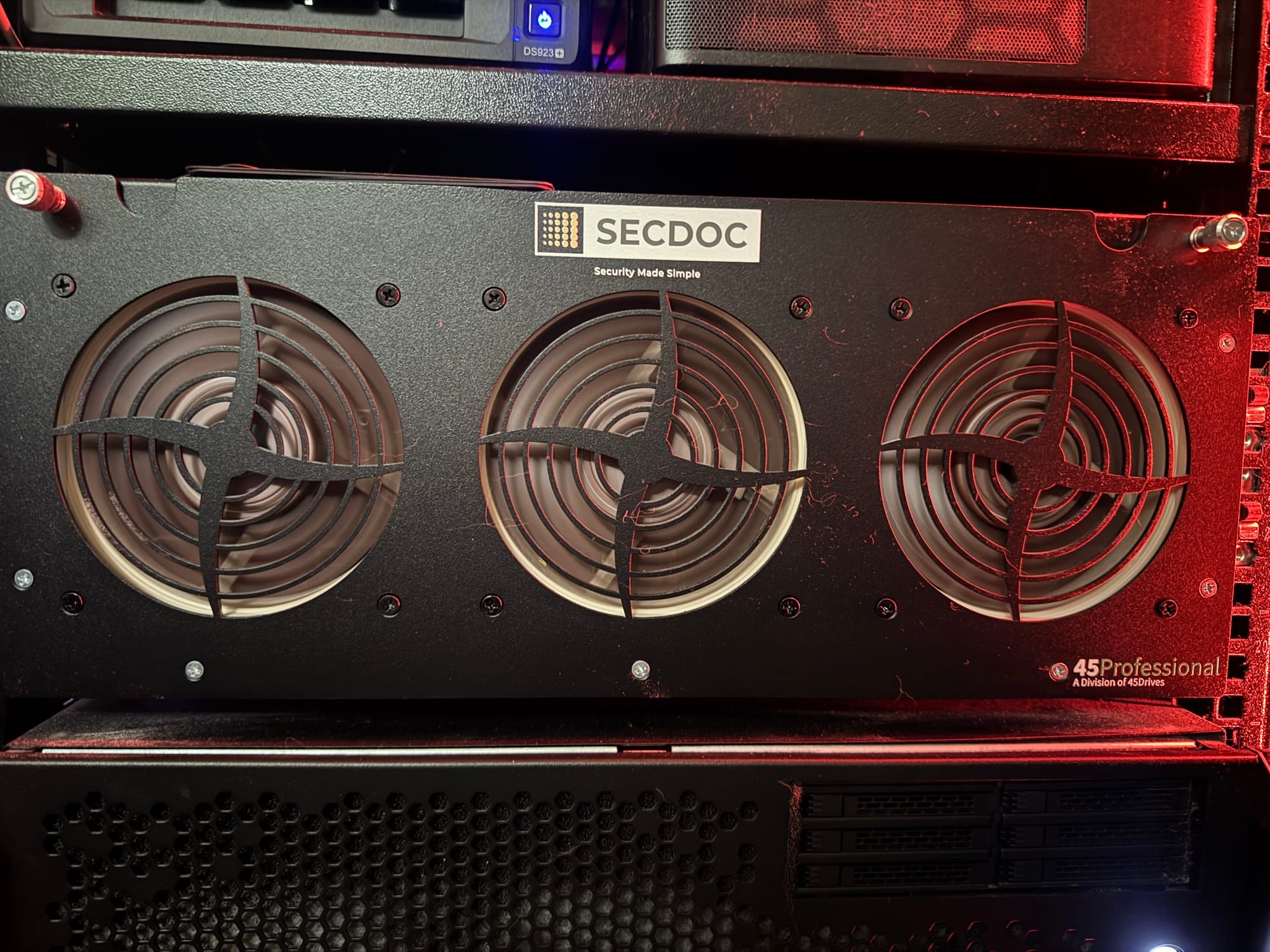
One design choice deserves a mention because it changes where the machine can live. This chassis is tuned for livable noise rather than maximum airflow. That is a deliberate trade: you give up some thermal headroom for a machine you can actually stand to be in the room with. For a homelab that lives in a home office, a closet, or under a desk, that is the difference between a machine you keep and one you exile to the garage. For most people reading this, that is worth more than the last few CFM of airflow.
The Build-It-Yourself Sibling
If the appeal here is the openness and you would rather assemble the whole thing yourself, 45Drives makes the HL15, which is the chassis-kit path to the same idea. You supply the board, CPU, and RAM, and you build up from a bare fifteen bay chassis. It is the same philosophy of standard parts, standard fasteners, and bring your own OS, for the builder who wants to assemble every piece. The Pro15 is the more finished, supported version of that argument; the HL15 is the version for people who want their hands on all of it.
What I Take Away From It
I put this machine in my lab to see whether an open box could get out from under the closed parts of the storage market: the caddies, the firmware locks, the annual license, the appliance you cannot open. What I found was a box built from parts I understand, running software I can take anywhere, managed by an interface that makes an expert stack legible, and backed by people who picked up the phone and responded on a good hypothesis. It is a workhorse that does not force your hand: a NAS today, a virtualization or AI node tomorrow, on whatever OS the job calls for. The numbers say it is fast where physics allows and honest where physics does not. That is what owning your storage should feel like.
If you are building a homelab, evaluating an alternative to the big storage vendors, or standing up something an MSP has to support for years, this class of machine deserves a real look. I write up more of these builds, the benchmarks behind them, and the architecture decisions that drive them at here at secdoc.tech, and the reasoning that shaped this one runs through my book, the Cybersecurity Architect's Handbook. If you want the deeper version of any argument here, this is where it lives.


